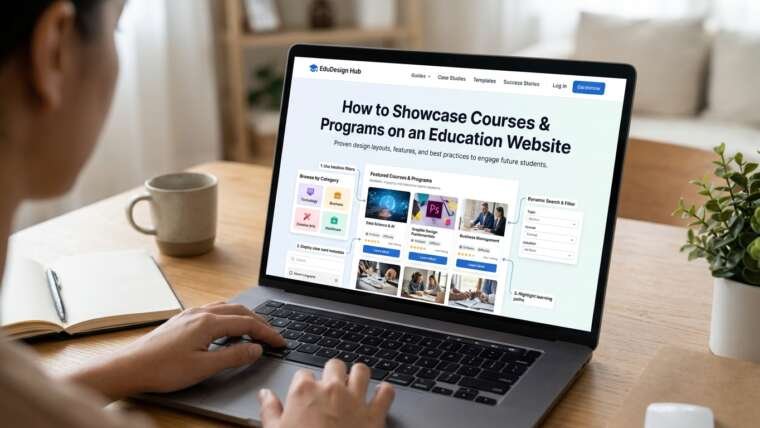

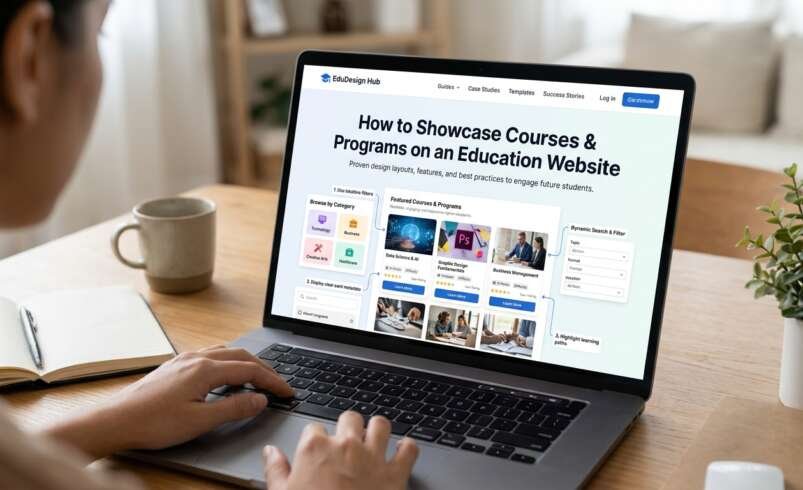

You want your users to feel excited by the options they have, however many people will be put off as they are unsure of what courses you offer, what the entry requirements are, what the timetable looks like and what will happen once they apply. A strong education website development will ensure your courses are well organised so your users can easily find the right course for them, understand what they can gain from the course and what they need to do next.
Common Questions
Talk to your admissions team and students to see what common questions applicants ask. Some could include:
- Is this course suitable for beginners?
- How long is the course?
- Will I be learning online or on campus?
- What qualification will I gain?
- Can I fit this around work?
This will help you to create a clear layout. Your education website design and development should always start with your visitors in mind. Group your programs by subject, qualification, learning level, campus, learning type etc. Make sure to use clear terms as opposed to creating your own abbreviations.
Logical Course List
Create a clear list of courses. Group them into logical categories and include filters. Useful filters could include:
- Subject/Faculty
- Certificate, Diploma, Undergraduate, Postgraduate.
- Full time, Part Time, Online, Hybrid.
- Campus/Location
- Start Date/Application Status
Ensure you can easily reset your filters and ensure your search results are clear. Having a clear structure on your education portal will mean your users will spend less time searching. They will be able to compare the right options easily.
Logical Structure For All Programs
Ensure all your courses have the same key points listed clearly.
- Overview: Who is this course for and what will they learn?
- Learning Outcomes: What knowledge/skills will they gain?
- Length & Timetable: How long is the course and how often should they attend? How much time will they need to invest per week?
- Entry Requirements: Are there any prerequisites? What documents will they need? Are there any language requirements? Any selection processes?
- Costs & Funding: What will tuition be? Any additional costs? When should they pay? What scholarships/funding is available?
- Next Steps: When should they apply? What do they need to do? How can they contact you?
You will fairly present your programs.
Clearly Detail What They Can Gain
Whilst it can be useful to list modules, it rarely tells the student what they will gain from the course. Make sure to explain what they will gain from the course. Instead of listing modules like “Introduction to Data Analysis” explain what they will do. For example they will have the opportunity to analyse data sets, present their findings and use relevant tools. A great course details page will explain how modules link to skills, assessments, projects and progression. This will help applicants understand what they can expect.
Profiles & Examples
Include profiles of staff, student stories, pictures of the classroom, lab demonstrations and examples of students’ work. Use real pictures of your campus and classrooms. Ask graduates and students to give a brief example of how they overcame a problem, what help they received and what skills they gained. This will give you some great testimonials.
If your college often receives nervous applicants who are concerned if they will be able to fit evening classes in, having a brief student story will help them understand what the timetable looks like, how much independent study they will need to complete and what support services are available. This is just an example, ensure you use real examples from your students.
Comparison Tool
Allow your students to compare key information including length, delivery method, entry requirements, costs and qualification. Your comparison tool should help your students find the best option for them. They should be able to search by their goals, time, budget and previous education.
Mobile Friendly & Accessible
Ensure your text is easy to read, headings are clear, buttons are descriptive and your sections aren’t too long. Don’t include any key information in pop up boxes, small tabs or images.
Ensure your website is easy to navigate using your keyboard, colours have high contrast, forms have labels, captions and meaningful alt text. Ensure videos have captions or transcripts. Ensure all key information is visible on all screen sizes. Don’t hide costs or entry requirements on mobile.
Clear Next Steps
Ensure all your program pages have clear next steps. Include a relevant button such as Apply Now, Open Day or Ask an adviser. Don’t have multiple next steps as this can cause confusion. Ensure your enquiry form is short and only asks for essential information. Tell them what will happen next and how their information will be used. If they will be applying through an external system, explain what will happen.
Track Useful Actions
Track actions such as searching courses, comparing courses, downloading guides, completing enquiries and applying.
Up to Date Information
Having out of date information such as dates, costs, entry requirements and delivery methods can cause confusion and extra work for your admissions. Assign an owner to each program and ensure they are reviewed prior to each intake. If it will help the applicant, include when the information was last updated. Ensure you have a reliable content management system. Discontinued courses should be archived carefully and redirected to the current options.
Top Tips: Make it Easy to Choose Courses
Your education website development will not just be a list of qualifications but will help people make an informed choice about whether a course is right for their ambitions, circumstances and resources. A competitive education website development will show your course information, real examples from students, accessible design and clear next steps. Take a look at your top 5 most viewed program pages.
Ask a prospective student to find the costs, entry requirements, timetable and next steps without any help. Take note of any hesitations they may have and resolve the most confusing piece of information first. This may seem like a small task, however it can show you more than just assuming how to improve your site. Focusing on providing genuine answers and helping them on their journey will make your visitors feel confident to make informed choices. This will help your institution gain their trust before they even talk to you. Choose with confidence.
Education Website Development by The Custom Websites
Looking to create an education website that makes it easier for students to explore courses, understand programs, and complete applications? The Custom Websites helps educational institutions build user-friendly, engaging, and conversion-focused websites. From well-organized course catalogues and detailed program pages to responsive layouts and intuitive navigation, the team focuses on creating digital experiences that support both students and educational organizations. Explore their work and learn more through The Custom Websites’ Clutch profile.