
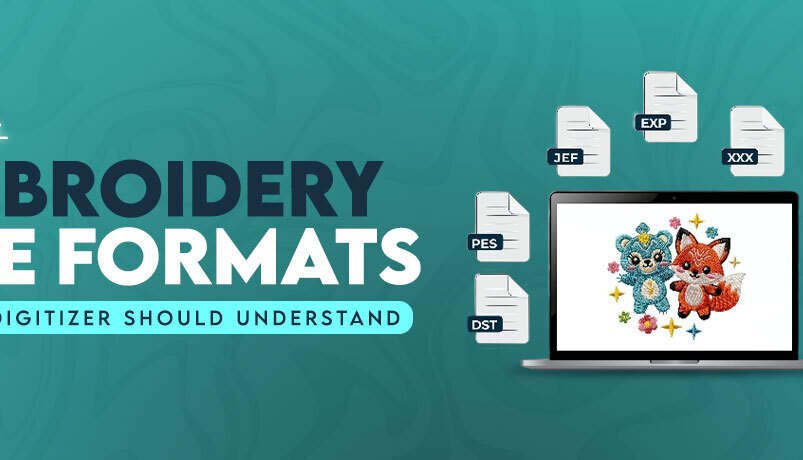

Best Embroidery File Formats Every Digitizer Should Understand
When people first start working on machine embroidery, they usually focus on designs, threads, needles, and stabilizers. But after a while, they realize embroidery file formats matter the most. If the design format does not match the embroidery machine, the file will not open correctly or the stitching will come out messy. That is why professional digitizers always pay attention to file compatibility before projects start.
Different embroidery machines read designs differently, and that is exactly why multiple file types exist in the embroidery industry. Some formats work better for home embroidery machines, while others run smoothly on commercial multi needle systems. Basically, knowing the right format saves time, prevents stitching issues & keeps embroidery production running smoothly.
Why So Many Embroidery Formats Exist?
Every embroidery machine brand builds its own operating system and software structure. Because of that, machine manufacturers create separate embroidery formats to match their own hardware and stitching process. A Brother machine reads design information differently compared to Tajima or Janome systems.
Some formats store only stitch commands, while others store thread colors, design previews, editing details, and design settings. Over the years, embroidery software companies also developed native editable formats for design editing. That is why digitizers usually save one design into multiple machine formats before sending final files to customers.
Common Embroidery Machine File Formats
The embroidery companies use several machine file types depending on the machine brand and embroidery setup. Some formats work better for home embroidery, while others are built mainly for commercial production. Pretty sure every experienced digitizer has worked with multiple formats during different embroidery projects.
- DST file is one of the most common commercial embroidery formats. Tajima originally created it, but many embroidery machines now support it because of its stable stitching structure.
- PES files work with Brother and Baby Lock embroidery machines. This format stores stitch data together with color information for home embroidery projects.
- JEF format belongs mainly to Janome embroidery machines. It contains hoop settings along with stitch information for proper design placement.
- EXP files are common in Melco and Bernina embroidery systems. Many commercial embroidery businesses use EXP for smooth production stitching.
- VP3 format works mostly with Husqvarna Viking and Pfaff embroidery machines. It supports detailed thread color information and design previews.
- XXX files are linked with Singer embroidery machines. Older embroidery systems and some software programs still support this format today.
- EMB files are editable object based embroidery files created in Wilcom software. Digitizers use them mainly for editing instead of direct machine stitching.
Which Format Does Your Embroidery Machine Need?
- Baby Lock machines also support PES files since both brands use very similar embroidery technology and file structures.
- Janome embroidery machines commonly use JEF format for home embroidery projects and custom embroidery digitizing work.
- Bernina machines mostly support EXP or ART files depending on the machine model, embroidery module, and software version.
- Pfaff embroidery machines normally read VP3, VIP, and HUS formats for decorative embroidery and detailed stitching designs.
- Tajima commercial embroidery machines mainly support DST files because the format runs reliably on large embroidery production orders.
- Husqvarna Viking systems usually work with VP3 or HUS formats for better thread color handling and design previews.
- Melco embroidery machines frequently support EXP files since many commercial embroidery shops use this format for production stitching.
- Singer embroidery machines normally read XXX files for everyday embroidery projects and home embroidery designs.
Why It’s Important to Use the Correct Format?
Using the correct embroidery format helps the machine read stitch data properly. If the format doesn’t match the machine, the design may load incorrectly or produce stitching problems during embroidery production. Even small compatibility problems can create thread breaks, gaps, or uneven stitching.
Actually, many embroidery mistakes happen because users transfer the wrong file type into the machine. A design may look fine on the computer screen but stitch badly on fabric if the format does not support the machine correctly.
- Correct formats help machines process stitch paths smoothly during embroidery production. This reduces machine stops and thread issues.
- Matching the right file type improves design accuracy on garments, caps, jackets, and other embroidery items during stitching.
- Proper file compatibility saves production time because operators spend less time fixing loading or stitching problems.
- Correct formats also help maintain thread color sequences and embroidery positioning on supported machine systems.
What are Object Based Native File Formats & Their Advantages?
Object based native embroidery files store editable embroidery information instead of only stitch commands. These files help digitizers make design changes later without rebuilding the entire design from scratch. Most professional embroidery software programs use native editable formats during digitizing work.
Once a design gets converted into machine ready stitch files, editing becomes harder. That is why experienced digitizers usually keep the original native file saved before exporting production formats.
- Native files store original embroidery objects instead of simple stitch points. This makes editing cleaner and faster later.
- Digitizers can resize designs more accurately without damaging stitch density or underlay settings during editing.
- Lettering adjustments become easier because the software keeps editable text information inside native files.
- Native formats support better stitch control for pull compensation, densities, and enter path adjustments.
- Color changes are easier because editable files keep thread sequence information organized during design updates.
- Native files help digitizers fix small embroidery problems without recreating the complete design manually.
- EMB and ART are common examples of object based embroidery editing formats used in professional embroidery software.
- Professional embroidery businesses usually archive native files for repeat customer orders and future modifications.
Expanded File Formats
Expanded embroidery formats mainly contain stitch data that machines use during embroidery production. Unlike native editable formats, expanded files don’t keep complete object information. They mainly focus on machine stitching instructions.
DST, PES, EXP, XXX, VP3, and JEF are examples of expanded embroidery machine formats. These files work well for production but editing them later becomes much harder compared to native embroidery files.
The BIG Mistake: Editing Expanded Files
A lot of beginners make the mistake of editing expanded embroidery files directly. The problem is simple. Expanded formats no longer contain original object information, so editing them can damage stitch quality and design structure. Eventually, the embroidery may not stitch correctly after heavy editing.
Professional digitizers usually edit native files first and then export fresh machine ready formats afterward. That process keeps embroidery cleaner and more stable during production.
- Resizing expanded files too much can create uneven stitch density. This causes thread breaks and poor embroidery coverage during stitching.
- Editing stitch paths manually inside expanded formats may damage underlay settings and runs within the design.
- Lettering quality often becomes distorted when users heavily edit machine ready embroidery files instead of native editable formats.
- Color sequence changes sometimes create unnecessary trims and jumps when editing expanded embroidery formats manually.
- Professional digitizers usually return to native source files instead of heavily modifying expanded production files repeatedly.
Conclusion
Understanding embroidery file types makes a huge difference in machine embroidery. Different machines need different formats & using the correct file keeps embroidery production cleaner and smoother. Whether you work with commercial embroidery or home embroidery projects, learning the basics of machine file compatibility gradually saves time and prevents stitching problems later.
Good digitizers don’t just create embroidery designs. They also know how embroidery machines read files, how formats behave during production, and which file works best for each machine setup. That knowledge actually helps embroidery businesses run much more smoothly.
FAQs
What are the most popular embroidery file formats used by professional digitizers?
Professional digitizers mostly work with DST, PES, EXP, EMB, and JEF files because these formats support many commercial & home embroidery machines.
Which embroidery file formats are compatible with major embroidery machines?
DST works with many commercial embroidery machines, while PES, JEF, VP3, EXP & XXX are commonly used for home and brand specific embroidery systems.
Compare different embroidery machine file types and their capabilities.
Some embroidery file types only store stitch data, while others also keep color information, hoop settings & editable design details for smoother embroidery work.
Where can I find software to convert embroidery files between different formats?
You can convert embroidery files using software like Wilcom, Hatch, Embrilliance, PE-Design, Pulse, or Ink/Stitch depending on your expertise and machine setup .
Which embroidery software offers the broadest compatibility with various design formats?
Wilcom and Hatch support a wide range of embroidery formats, which is why many professional digitizers use them for commercial embroidery work.
What embroidery file formats offer the best quality for commercial digitizing projects?
DST & EXP formats are widely used for commercial embroidery because they run smoothly on multi needle embroidery machines during production.
How do proprietary embroidery formats differ from universal ones in digitizing?
Proprietary formats usually work with specific machine brands, while universal formats like DST work across many commercial embroidery machines.