
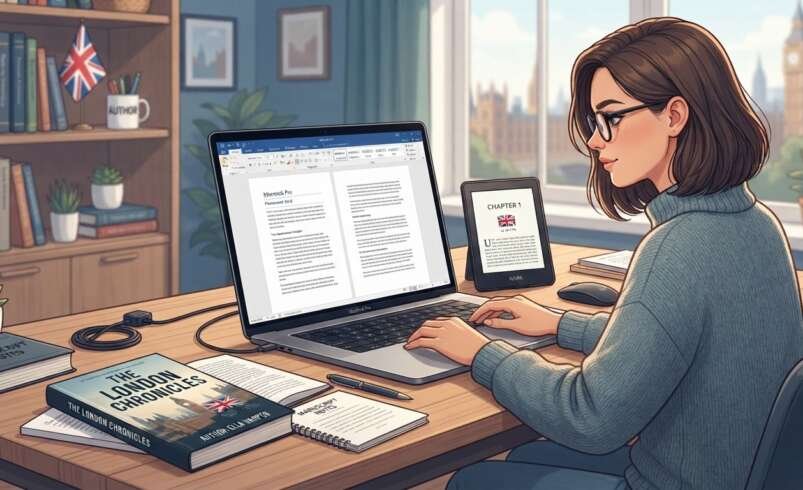

Formatting is one of the most important steps when preparing a book for self-publishing. You may have written a strong manuscript, carefully edited every chapter and designed an attractive cover, but poor formatting can still affect how readers experience your book. Uneven margins, inconsistent headings, awkward page breaks and incorrect spacing can make even a well-written book look unprofessional.
For UK-based first-time authors and independent writers, Amazon Kindle Direct Publishing (KDP) offers a practical way to publish paperback and eBooks. However, each format has different layout requirements. Understanding these requirements before uploading your manuscript can save time, prevent formatting errors and help your book look professional.
This guide explains how to format a book for Amazon KDP, from choosing the right page size to preparing a Kindle eBook.
-
Choose the Right Book Size Before Formatting
The first step is deciding how you want your paperback to look. Amazon KDP supports several trim sizes, which determine the finished dimensions of your printed book.
Popular choices include:
- 5 x 8 inches: Suitable for novels, short stories and fiction.
- 5.5 x 8.5 inches: A popular option for general reading books.
- 6 x 9 inches: Commonly used for non-fiction, business books and memoirs.
- 8.5 x 11 inches: Often suitable for workbooks, manuals and educational material.
UK authors should remember that KDP uses inches when specifying trim sizes, even if they normally work with centimetres or millimetres.
Choose your book size before setting up the document. Changing it later can affect page count, margins, spacing and the overall layout.
-
Set Appropriate Margins and Page Layout
Margins create space around the text and prevent words from appearing too close to the edges of printed pages.
Paperback books require particular attention to the inside margin, also known as the gutter. This is the space near the binding where pages are joined together.
Amazon KDP’s margin requirements depend on the book’s page count. A thicker book needs a larger gutter to ensure the text remains comfortable to read.
When setting up your document:
- Keep the inside margin wide enough for binding.
- Use consistent outside, top and bottom margins.
- Enable mirrored margins for double-sided printing.
- Leave additional space for headers and page numbers where necessary.
- Avoid placing important text too close to the page edges.
Microsoft Word and other word-processing programmes allow you to adjust these settings through their page layout options. Check KDP’s current margin guidelines before finalising your manuscript.
-
Select Readable Fonts and Consistent Line Spacing
Typography has a direct impact on readability. A decorative font might look attractive on a cover, but it is rarely suitable for the main text of a book.
For printed books, traditional fonts such as Garamond, Georgia and Times New Roman are popular choices. A body text size of 10–12 points is a useful starting point, although the final choice should suit the genre, trim size and intended audience.
For a professional layout:
- Use one consistent font for the main body text.
- Keep font sizes consistent throughout each section.
- Use italics for emphasis rather than excessive bold text.
- Set comfortable line spacing, often around 1.15 or 1.2.
- Avoid unnecessary blank lines between paragraphs.
- Use paragraph indentation consistently.
The aim is to make reading comfortable rather than to squeeze as much text as possible onto each page.
-
Format Chapter Headings and Page Numbers
Every chapter should begin clearly and follow the same layout throughout the book. Use consistent heading styles rather than manually changing font sizes and boldness for every chapter.
For paperback formatting:
- Start each new chapter on a fresh page.
- Centre chapter titles or align them consistently.
- Use page breaks instead of repeatedly pressing Enter.
- Place page numbers in the header or footer.
- Keep odd-numbered pages on the right and even-numbered pages on the left.
- Avoid displaying page numbers on title pages and other introductory pages where they are not needed.
For a traditional book layout, front matter may use Roman numerals, while the main chapters begin with standard numbers (1, 2, 3).
-
Prepare Your Front Matter and Back Matter
Front and back matter give your book a complete, organised appearance. These sections also provide useful information to readers.
Front matter appears before the main chapters and may include:
- Half-title page
- Full title page
- Copyright page
- Dedication
- Acknowledgements
- Contents page
- Foreword or introduction
Back matter appears after the main content and can include:
- About the author
- References or bibliography
- Glossary
- Further reading
- Acknowledgements (if not included earlier)
- Links to your website or other books
For UK authors, make sure copyright information, author details and any acknowledgements are accurate. You do not need to include every section; choose those that suit your book.
-
Understand the Difference Between Paperback and Kindle Formatting
One of the most common mistakes new self-publishers make is using the same formatted document for both paperback and Kindle editions.
Although the content may be identical, the two formats work differently.
Paperback Formatting
A paperback needs a fixed layout because every page has specific dimensions. Your text, images, margins and page numbers must stay in their intended positions.
Amazon KDP accepts several manuscript formats, but a print-ready PDF is a reliable choice for maintaining the layout. Make sure fonts are embedded and images have a resolution of at least 300 DPI.
If your book contains images or backgrounds extending to the page edges, you will need to account for bleed. KDP requires an additional 0.125 inches (3.2 mm) beyond the trim edge.
Kindle eBook Formatting
Kindle eBooks are generally reflowable. This means readers can change font sizes, adjust spacing and use different screen sizes without affecting the reading experience.
For a Kindle edition:
- Use simple paragraph styles and consistent headings.
- Apply Heading 1 to chapter titles.
- Create a clickable table of contents.
- Remove unnecessary page numbers, headers and footers.
- Avoid using multiple spaces to position text.
- Check that images display correctly on different devices.
You can prepare a Kindle manuscript using Word or Kindle Create. EPUB is also a supported upload format. Always preview your eBook before publishing to check that chapters, links and images display correctly.
-
Avoid Common Amazon KDP Formatting Mistakes
Even small formatting problems can affect how professional your finished book looks. Some mistakes may also trigger errors during the KDP upload process.
Common issues include:
- Incorrect trim size or gutter margins.
- Chapters starting halfway down a page.
- Inconsistent font styles and paragraph spacing.
- Low-resolution images.
- Missing or incorrectly positioned page numbers.
- A non-clickable Kindle contents page.
- Unnecessary blank pages.
- Text extending beyond the printable area.
Before uploading, read about these common Amazon KDP publishing mistakes that authors should avoid. It is useful to check more than just formatting, as cover quality, editing, metadata and publishing decisions also influence the final result.
-
Preview and Check Your Manuscript Before Publishing
Never assume your manuscript is ready simply because it looks correct in Microsoft Word.
Download or open the KDP preview tools and inspect the entire book. For paperbacks, check the margins, page breaks, image placement, chapter openings and overall alignment. For Kindle editions, test different font sizes and screen layouts.
A useful final checklist includes:
- Correct trim size and page count.
- Consistent margins and typography.
- No spelling or formatting errors.
- Properly positioned images and page numbers.
- Complete front and back matter.
- Working hyperlinks and contents navigation.
- Correct cover dimensions and spine alignment.
Order a physical proof copy of your paperback where possible. Reading a printed version often reveals spacing and layout problems that are easy to miss on a computer screen.
-
When Are Professional Book Formatting Services Worth It?
Formatting a short manuscript with a simple layout may be manageable in Microsoft Word. However, more complicated books often require additional attention.
Professional book formatting services are particularly useful if:
- You are publishing your first paperback or Kindle book.
- Your manuscript contains tables, illustrations, charts or images.
- You are preparing both print and eBook editions.
- Your book has a large page count or complex chapter structure.
- You want a consistent, polished layout without spending hours fixing technical issues.
Experienced formatters understand the differences between print and digital layouts. They can prepare your manuscript, check margins, organise chapter headings and produce files suitable for publishing.
For authors who want to focus on writing rather than technical details, professional book formatting services can make the publishing process considerably easier.
Conclusion: Give Your Book a Professional Finish
A well-formatted book makes reading more enjoyable and gives your manuscript the professional presentation it deserves. From selecting the right trim size and margins to organising chapters and preparing Kindle files, every detail contributes to the finished product.
For UK authors publishing independently, the best approach is to follow Amazon’s latest formatting guidelines, preview every file and check a printed proof before releasing the book.
Take your time with the final preparation. A professionally presented manuscript is an important step towards giving your book the best possible start.