

iOS App Development in 2026: Complete Guide for Businesses
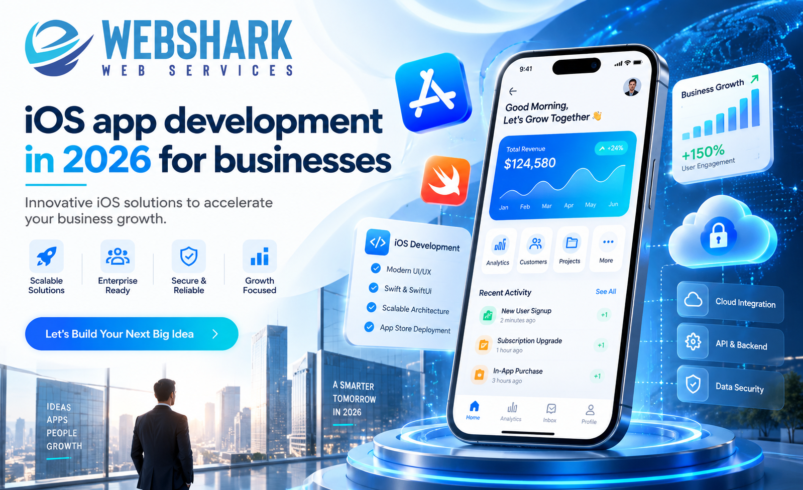
Building an app for Apple devices like the iPhone and iPad involves planning, designing, development, testing, and launching. In 2026, most business apps will be built natively using Swift and SwiftUI, designed for Apple’s new Liquid Glass interface, and increasingly powered by on-device AI.
iOS app development continues to offer significant opportunities for businesses. According to Apple’s 2024 U.S. App Store ecosystem study, the U.S. App Store facilitated $406 billion in developer billings and sales in 2024, up from $142 billion in 2019.
This guide explains the latest changes, development costs, and how to plan an iOS app that launches smoothly.
Why iOS App Development Matters for Businesses in 2026
An iPhone app is no longer just for games or tech startups. In Apple’s study, $277 billion of that $406 billion came from physical goods and services, such as retail orders, food delivery, and ride bookings. Another $75 billion came from in-app advertising.
Apple also reports that more than 90 percent of those billings and sales involved no commission paid to Apple. For a business selling real-world products or services, an app is mainly a sales and loyalty channel.
Quality still matters. Apple rejected 1.9 million app submissions in 2024, so a well-built app saves you from costly delays at review.
What’s New in iOS 26 App Development
iOS 26 brought major design and AI changes, and iOS 27 (released September 14, 2026) builds on the same base. Here’s what matters most if you’re planning iOS 26 app development.
H3: Liquid Glass Design for iOS Apps
At WWDC 2025, Apple introduced Liquid Glass, a translucent material that reflects and refracts what sits behind it. It now shapes buttons, tab bars, and navigation across Apple’s platforms.
Apps that use standard system controls pick up much of the new look when rebuilt with the latest SDK. Apps with heavily customized interfaces need a design review so text stays readable and branding still feels consistent.
H3: AI Integration in iOS Apps
Apple’s Foundation Models framework gives apps direct access to the on-device model behind Apple Intelligence. Developers can add features like smart summaries, guided search, or personalized suggestions with a few lines of Swift.
Because processing happens on the device, user data does not need to leave the phone. One caution: only devices that support Apple Intelligence can use it, so plan a fallback experience for older iPhones.
H3: New App Store SDK Deadlines
Since April 28, 2026, Apple requires new uploads to be built with Xcode 26 and the iOS 26 SDK. Starting in April 2027, uploads must use the iOS 27 SDK. Budget for yearly updates, not just the first launch.
Native vs. Cross-Platform iOS Mobile App Development
| Approach | Best for | Access to new iOS features | Typical trade-off |
| Native (Swift + SwiftUI) | Premium apps, AI features, heavy device use | Immediate, through Apple’s own SDKs | iOS only, so Android needs a separate build |
| Cross-platform (Flutter, React Native) | Launching on iOS and Android together | Often delayed until frameworks update | Shared code lowers cost, but some native work remains |
| Progressive web app | Simple content or booking tools | Limited | Lowest cost, but no full App Store presence |
For most businesses that care about polish, privacy, and Apple’s newest features, SwiftUI app development is usually the strongest long-term choice.
How to Develop an iOS App for a Business: 6 Steps
- Define the business goal. Choose one main outcome, such as repeat orders, bookings, or support tickets reduced, and set measurable targets.
- Scope a minimum viable product (MVP). List the few features users truly need at launch. Save the rest for later releases.
- Design for Apple’s standards. Follow the Human Interface Guidelines and test your screens with Liquid Glass and accessibility settings turned on.
- Build and integrate. Developers write the app in Swift and SwiftUI, then connect payments, your CRM, analytics, and any AI features.
- Test with real users. Use TestFlight for beta testing, and check performance, privacy labels, and edge cases.
- Launch and improve. Submit for App Store review, track your KPIs, and ship updates based on real usage.
iOS App Development Cost in the USA in 2026
Cost depends on scope. The biggest cost drivers are:
- Number of screens and features
- Custom design and animation
- Integrations with existing systems (payments, ERP, CRM)
- AI features and backend infrastructure
- Team location and seniority
- Ongoing maintenance and SDK updates
Labor is the largest line item. The U.S. Bureau of Labor Statistics reports a median annual wage of $135,980 for software developers (May 2025). So three in-house U.S. developers cost about $34,000 a month in base salary alone, before benefits, design, QA, and project management.
That is why many companies choose custom iOS app development with an experienced agency. You get a full team (strategy, design, development, and testing) without building one from scratch. Also budget $99 a year for the Apple Developer Program and a yearly maintenance allowance.
If you’re comparing offshore teams, our buyer’s guide to iOS app development in 2026 for businesses breaks down costs in more detail.
How to Choose iOS App Development Services
Before you sign a contract, ask any partner:
- Which apps have you shipped on the App Store recently?
- Do you build with SwiftUI and support Liquid Glass and iOS 26 features?
- Can you add on-device AI responsibly, with a fallback for older devices?
- Who owns the source code and App Store account after launch?
- What does post-launch support include?
For a deeper checklist, read our guide on choosing a custom app development company
Conclusion: Plan Your iOS App Development the Smart Way
iOS app development in 2026 rewards businesses that plan carefully. Liquid Glass sets a higher design bar, on-device AI opens new features, and yearly SDK deadlines make maintenance part of the budget. Starting with a clear goal and a focused MVP keeps costs under control.
If you’re planning an iPhone app, Webshark Web Services can help you scope features, choose the right tech stack, and estimate a realistic budget. Explore our iOS app development services or sales@webshark.tech to talk through your project.
FAQs
- How long does iOS app development take for a business app?
Most focused MVPs take about three to six months from planning to App Store launch. Complex apps with many integrations or AI features can take longer. A clear scope is the best way to shorten the timeline.
- Is SwiftUI better than UIKit for iOS app development in 2026?
For new apps, SwiftUI is usually the better starting point. It needs less code, works across Apple devices, and adopts new designs like Liquid Glass more easily. UIKit is still useful for some complex or legacy screens, and the two can work together in one app.
- Do I need to update my existing app for iOS 26?
Yes, if you plan to release updates. Since April 28, 2026, Apple requires uploads to be built with Xcode 26 and the iOS 26 SDK. Starting in April 2027, the iOS 27 SDK will be required. Rebuilding also lets your app adopt the Liquid Glass look.
- Can AI features in iOS apps work without sending data to the cloud?
Yes. Apple’s Foundation Models framework runs Apple’s language model on the device itself, so user data can stay on the iPhone. It only works on devices that support Apple Intelligence, so your app should offer a fallback for older models.
- Should my business build iOS first or launch on iOS and Android together?
It depends on your audience and budget. Launching on iOS first lets you test demand with one polished app. If your customers are split across both platforms, custom iOS app development alongside a cross-platform or native Android build may make more sense.